
How we chose
Detailed methodology
We compared current consumer and enthusiast OBD2 scanners sold for Australian owners across generic protocol support, module depth, compatibility checking, app and subscription burden, standalone and offline practicality, update policy, warranty, Australian support, exact-product owner evidence and total ownership cost. Manufacturer specifications, retailer information, Australian owner feedback, app-store evidence and independent testing remain separate. Worth Buying scores are editorial judgements, not blended customer-star ratings.
Serious contenders and alternatives
OBDLink MX+: is the best alternative for buyers prioritising third-party apps and data logging. Its hardware, platform reach and BatterySaver design are strong, but the deepest enhanced functions may require make-specific or paid third-party software.
Foxwell ET2530W: is a capable standalone multi-system option for an owner focused on one vehicle brand. One brand is included and additional brand packages cost extra, so multi-make ownership can become expensive.
Foxwell ET2707: is a good basic colour-screen alternative with live data, freeze-frame graphing and free updates. ToolPRO wins the simple-handheld place through its deeper Australian ownership history and three-year warranty.
Kincrome K8410: covers standard OBD2 protocol families and basic read/clear functions, but does not establish a strong enough advantage over the ToolPRO finalist.
GearWrench GWSCAN Everyday Diagnostic Tool Bluetooth OBDII Tester
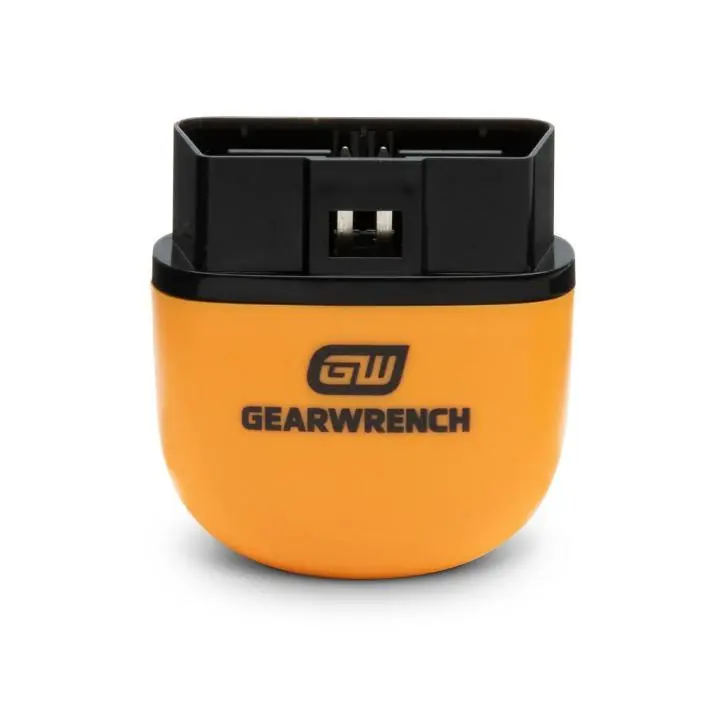
Exact current GWSCAN adapter shown. A compatible iOS or Android phone and the GWSCAN app are required.
GearWrench specifies full OBDII testing, manufacturer fault definitions, ABS and complete-system diagnostics where supported, Mode 06 monitoring and continuous vehicle data. The app supports iOS and Android, while the adapter is powered from the vehicle's diagnostic port.
Extended product analysis
The appeal is capability relative to cost. It can go beyond an engine-only reader on supported vehicles without moving to an expensive workshop tablet. GearWrench's 85-plus manufacturer wording is a coverage claim, not a promise that every listed system works on every model.
App dependence is the central compromise. Pairing, phone permissions, software polish and long-term mobile-platform support matter. Australian owner themes are broadly positive about capability and value, with some reports of unavailable vehicle-specific functions and occasional pairing or software issues.
Evidence context
The exact Supercheap listing carries a useful but not huge Australian owner pool. Treat its retailer-hosted rating as customer evidence, not independent professional testing or proof of universal compatibility.
Pros
- Low entry cost
- Generic and supported multi-system diagnostics
- Mode 06 and live monitoring
- iOS and Android
- Free updates
- No recurring subscription
Cons
- Phone and app required
- Coverage varies by vehicle and module
- Software polish can be mixed
- Not the bidirectional pick
ToolPRO OM126 Auto Diagnostic Scanner OBD2 and CAN
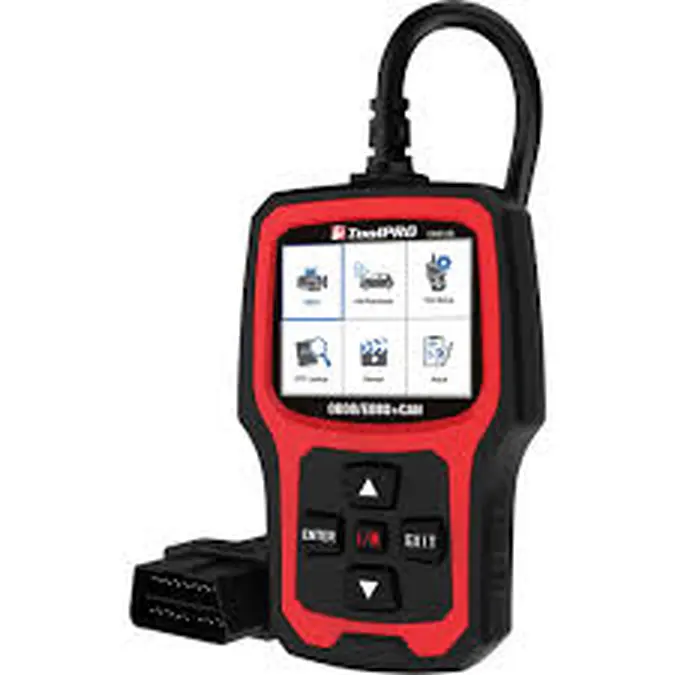
Exact ToolPRO OM126, Supercheap item 590595, shown with its wired OBD connector.
The OM126 has a 2.4-inch TFT display and supports CAN, J1850 PWM, J1850 VPW, ISO 9141 and KWP2000. It reads and clears supported codes, displays live engine and O2-sensor data, shows freeze-frame information and can produce printable reports.
Extended product analysis
The self-contained design is especially useful for remote touring or a shared family glovebox: normal diagnostic operation does not depend on mobile coverage, a charged smartphone, pairing, app support or account access. Vehicle-port power also removes a separate battery-management task.
Its boundary is equally important. This is primarily a generic engine/emissions scanner, not a promise of ABS, SRS, steering, transmission or body-module coverage. Many negative owner experiences with basic scanners begin when those systems are assumed rather than verified.
Evidence context
The exact Australian product page has a large owner-review pool with recurring themes around simple operation, useful DIY diagnosis and value. That pool remains retailer-hosted customer evidence and does not extend the tool beyond its documented scope.
Pros
- No phone or app
- Works offline
- Live data and freeze frame
- Physical buttons
- Printable reports
- Three-year warranty
Cons
- Primarily engine/emissions scope
- No guaranteed ABS or SRS
- Small 2.4-inch display
- Wired connection
GearWrench GWSMARTBT Professional Bi-Directional Diagnostic Scan Tool
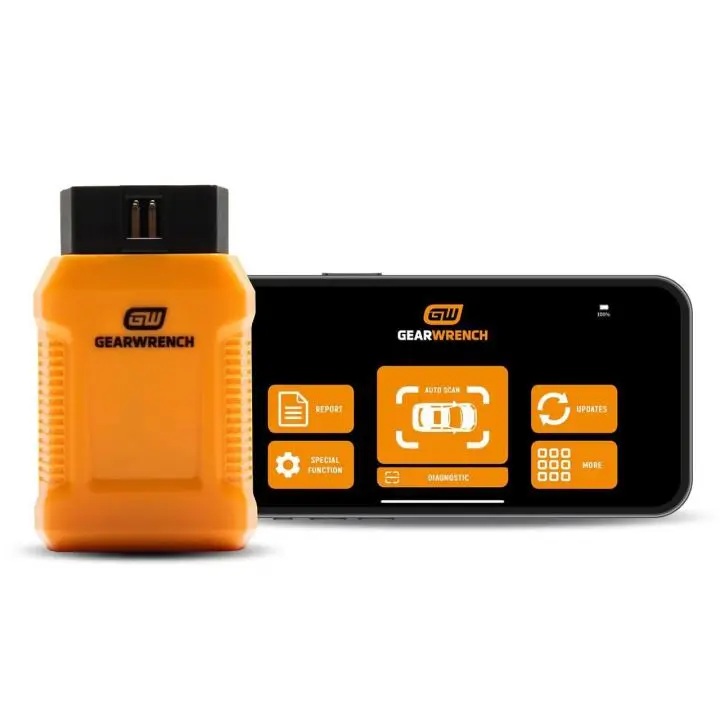
Exact current GWSMARTBT adapter shown. A compatible iOS or Android phone or tablet and the GWSMARTBT app are required.
GearWrench specifies OE-level full-system diagnostics, bidirectional control, live actuator testing, 23 reset/relearn functions, live-data mapping, freeze-frame capture, ABS support and secure-gateway readiness. Updates are free for the life of the current software offer, with no recurring subscription.
Extended product analysis
This is for owners who understand diagnostic workflows, not someone who only wants to identify a check-engine code. Bidirectional tests command supported components and therefore require care, correct service information and a clear purpose.
GearWrench's 185-plus manufacturer wording describes the broad software library, not universal coverage of every function, module or Australian-market vehicle. Manufacturer packages can also consume phone storage, so install and test what you need before remote travel.
Evidence context
Official Australian product and support material clearly establishes the current feature set and ownership terms. App quality and exact-vehicle support remain the material uncertainties buyers should verify before purchase.
Pros
- Full-system diagnostics where supported
- Bidirectional actuator tests
- 23 reset/relearn functions
- Secure-gateway ready
- Free lifetime software updates
- No recurring subscription
Cons
- Phone or tablet required
- Advanced functions vary by vehicle
- App and package complexity
- Requires diagnostic knowledge
OBD2 scanner buying advice
Buying advice
A code is a starting point, not a parts order
A diagnostic trouble code identifies a system condition or fault path. Confirm the cause with service information, inspection and appropriate testing before replacing a component.
Bluetooth vs standalone handheld
Bluetooth tools use a larger phone screen for graphing, software updates and potentially deeper diagnostics, but bring pairing, permissions, app-lifecycle and storage dependencies. A handheld is predictable and offline, though its display is smaller and consumer-priced models are usually less extensible.
Compatibility is exact-vehicle work
Do not assume every Australian vehicle after 1996 has identical support. Make, model, year, engine, fuel, market origin, protocol and module all matter. Check the current coverage tool or support channel for the exact vehicle and function.
Software costs change ownership value
The three winners currently have no recurring subscription for their core functions. OBDLink hardware can use paid third-party apps, while the Foxwell ET2530W includes one vehicle brand and charges for additional brand packages. Compare the required software, not just the adapter price.
Used-car scans have limits
A scan can reveal stored and pending codes, readiness monitors, supported VIN data and recently reset emissions monitors. It cannot reliably reveal structural damage, suspension wear, accident repair, hidden leaks, all transmission faults or general mechanical condition. It is one check, not a replacement for a professional pre-purchase inspection.
Prepare before remote travel
For app-based tools, install the app and required manufacturer packages, sign in if necessary and test the connection before leaving coverage. The ToolPRO handheld is the simplest finalist where a phone, mobile account or app should not be part of the roadside plan.
Diagnostic and code-clearing safety
Clearing a code does not repair the underlying fault. It may erase freeze-frame information and reset readiness monitors, making a problem temporarily disappear until it recurs. Never clear warnings to conceal a fault before a vehicle sale.
ABS, SRS/airbag, braking and other safety-system warnings need proper diagnosis where the warning returns, the system is disabled or the cause is uncertain. Do not use a scanner to bypass or mask a safety function. Bidirectional commands should only be run when you understand the test, the vehicle is secured and the manufacturer's service procedure supports it.
Which OBD2 scanner should you buy?
Buy the GearWrench GWSCAN for the strongest mainstream balance of cost and supported diagnostic depth. Buy the ToolPRO OM126 for standalone, offline engine diagnostics without a phone. Buy the GearWrench GWSMARTBT when supported bidirectional tests, resets and module-level diagnosis justify greater software complexity.
Frequently asked questions
Will an OBD2 scanner work with every Australian car?
No. Compatibility varies by make, model, year, engine, fuel, market origin, protocol and required module. Check the exact vehicle against current coverage information.
Can an OBD2 scanner diagnose ABS and airbag faults?
Some can. Generic readers often cannot. Exact ABS, SRS and other module coverage depends on both the scanner and vehicle.
Does a fault code tell me which part to replace?
No. A code identifies a fault condition or diagnostic path. Further testing is normally needed before replacing a part.
Can I clear a check-engine light with an OBD2 scanner?
Usually where the vehicle and scanner support it, but clearing the code does not fix the fault and may erase freeze-frame data or reset readiness monitors.
Is a Bluetooth OBD2 scanner better than a handheld scanner?
Not universally. Bluetooth can provide deeper software, graphing and a larger display. A handheld avoids phone, pairing, app and account dependencies.
Can I use an OBD2 scanner when buying a used car?
Yes, as one check for codes, readiness monitors and supported live data. It is not a replacement for a professional pre-purchase inspection.
Do OBD2 scanners require a subscription?
It depends on the product and software. The three formal recommendations currently do not require recurring subscriptions for their core functionality.