
How we judged
Detailed methodology
We compared current Australian products on parental controls, performance, storage, display quality, battery, software-support horizon, case availability, service options and replacement cost. Manufacturer specifications establish product identity; professional testing and separated owner evidence inform real-world strengths and weaknesses.
The formal ranking covers normal iPadOS and Android tablets that parents can manage. Grey imports, E Ink readers, specialist drawing devices, Windows detachables, school-specific laptops and toddler-only toy tablets are outside scope.
Apple iPad 11-inch A16 — MD4A4X/A
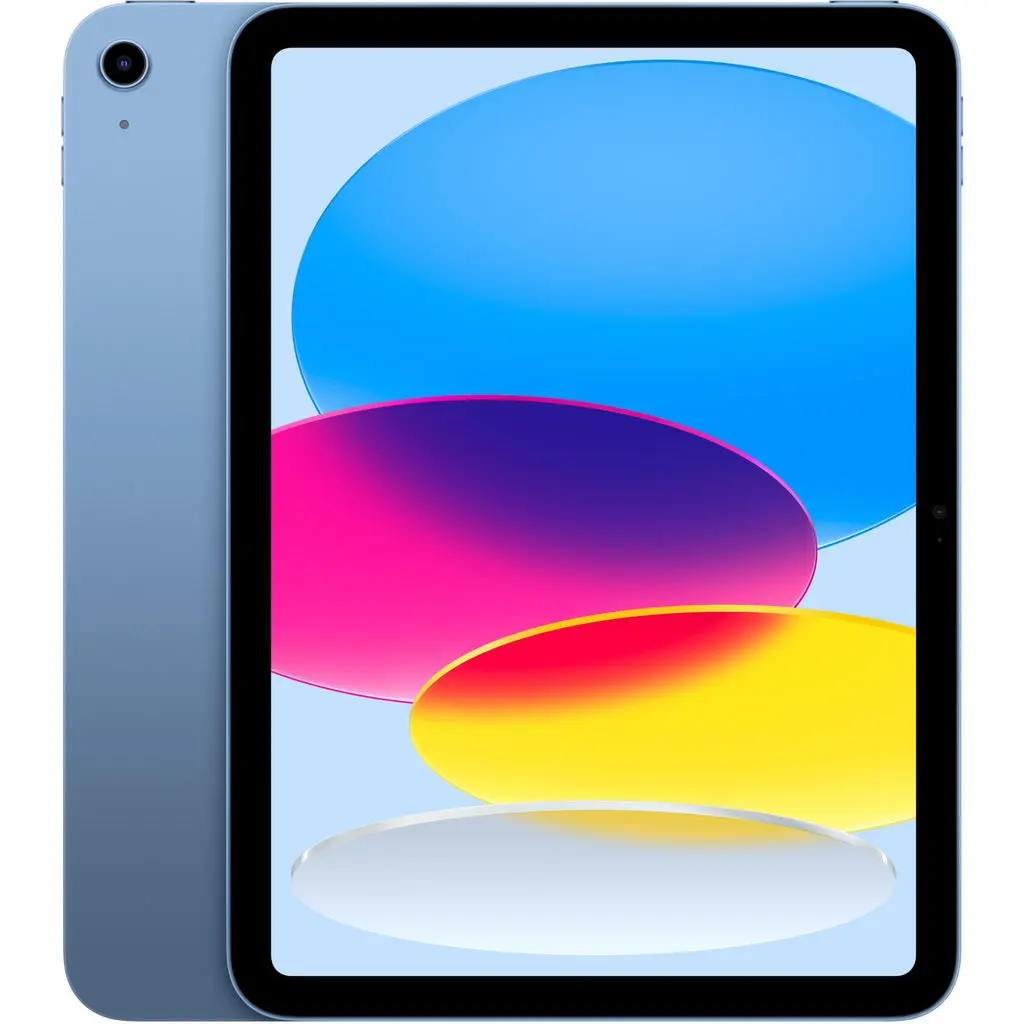
Exact current A16-generation 11-inch iPad in Blue. The locked recommendation is Wi-Fi with 128GB storage.
The 10.86-inch viewable Liquid Retina IPS display runs at 2360 × 1640, reaches a claimed 500 nits and is limited to 60Hz. At 477g, it is manageable on a desk or lap but still benefits from a grippy, shock-absorbing case for younger users.
Extended product analysis
Family Sharing, Screen Time and Ask to Buy cover app approval, purchases, downtime, app limits, content restrictions, web controls and communication settings. Parents can manage a child's settings from their own Apple device when the family group is configured. These are strong tools, not an absolute guarantee that no child can ever bypass a setting.
Apple rates Wi-Fi web or video use at up to 10 hours; independent current-generation tests support roughly 10–11-hour light-use endurance under different methods. The A16 is easily the fastest finalist and should age better for demanding games and apps.
Protection and ownership cost
No rugged case is supplied, storage cannot be expanded, and Pencil is extra. Optional AppleCare+ can cover accidental damage subject to the current plan, eligibility and service fees; it is paid coverage, not the standard warranty.
Pros
- Fastest finalist
- Excellent child and education apps
- Mature family controls
- 128GB base storage
- Broad case and service ecosystem
- Strong hand-me-down potential
Cons
- Highest upfront price
- No rugged case included
- No microSD
- 60Hz display
- Pencil sold separately
- No headphone jack
Samsung Galaxy Tab A11+ — SM-X230NZAAXSA
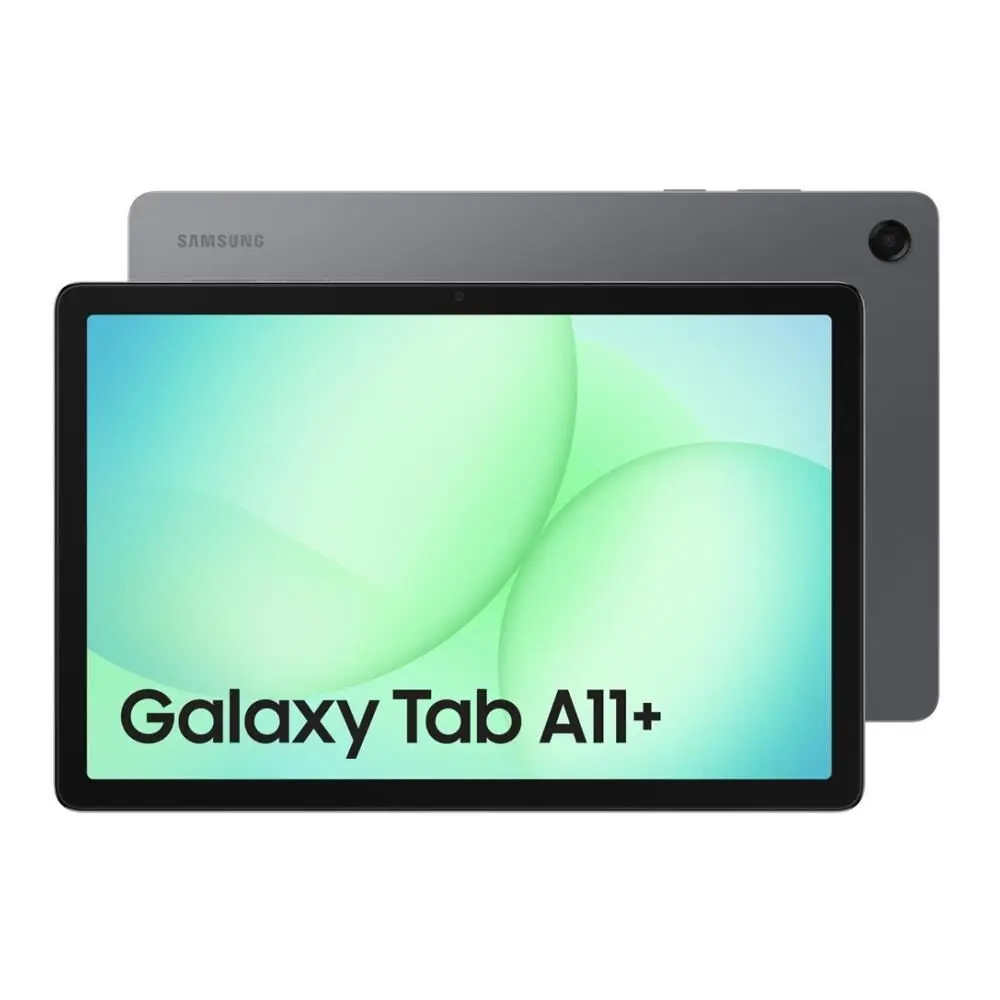
Exact standard Galaxy Tab A11+ Wi-Fi 6GB/128GB model in Grey. A rugged Kids Edition case is not included.
The 11-inch 1920 × 1200 TFT panel runs at 90Hz and a claimed maximum 480 nits. It is smoother than the iPad for scrolling but cannot match premium OLED contrast or the iPad's higher pixel density. Quad speakers and a 3.5mm headphone jack suit shared family and travel use.
Extended product analysis
Samsung Kids provides a PIN-protected child environment, app and content controls, play-time limits, usage reports and approved media. Family Link adds app approval, blocking, downtime, School Time, purchase approval and account supervision. That combination is particularly approachable for younger children.
The 7040mAh battery carries an up-to-15-hour Samsung video-playback claim. It supports 25W charging, but the travel adapter is not supplied. Storage expands by microSD to 2TB, though removable storage is mainly for media and is not identical to internal app storage.
Standard tablet, not the Kids Edition
The earlier F-X230NKIDSPACK Kids Edition and newer cover bundles were not orderable when checked. This recommendation is the standard tablet and needs a separate rugged case for younger users. It has no S Pen support or fingerprint sensor.
Pros
- Samsung Kids and Family Link
- Security support to November 2032
- 6GB RAM and 128GB storage
- microSD to 2TB
- 90Hz display and quad speakers
- 3.5mm headphone jack
Cons
- No rugged case included
- Modest TFT display
- No S Pen support
- No fingerprint sensor
- No charger in box
- USB 2.0-class port
Lenovo Tab One — ZAF00091AU
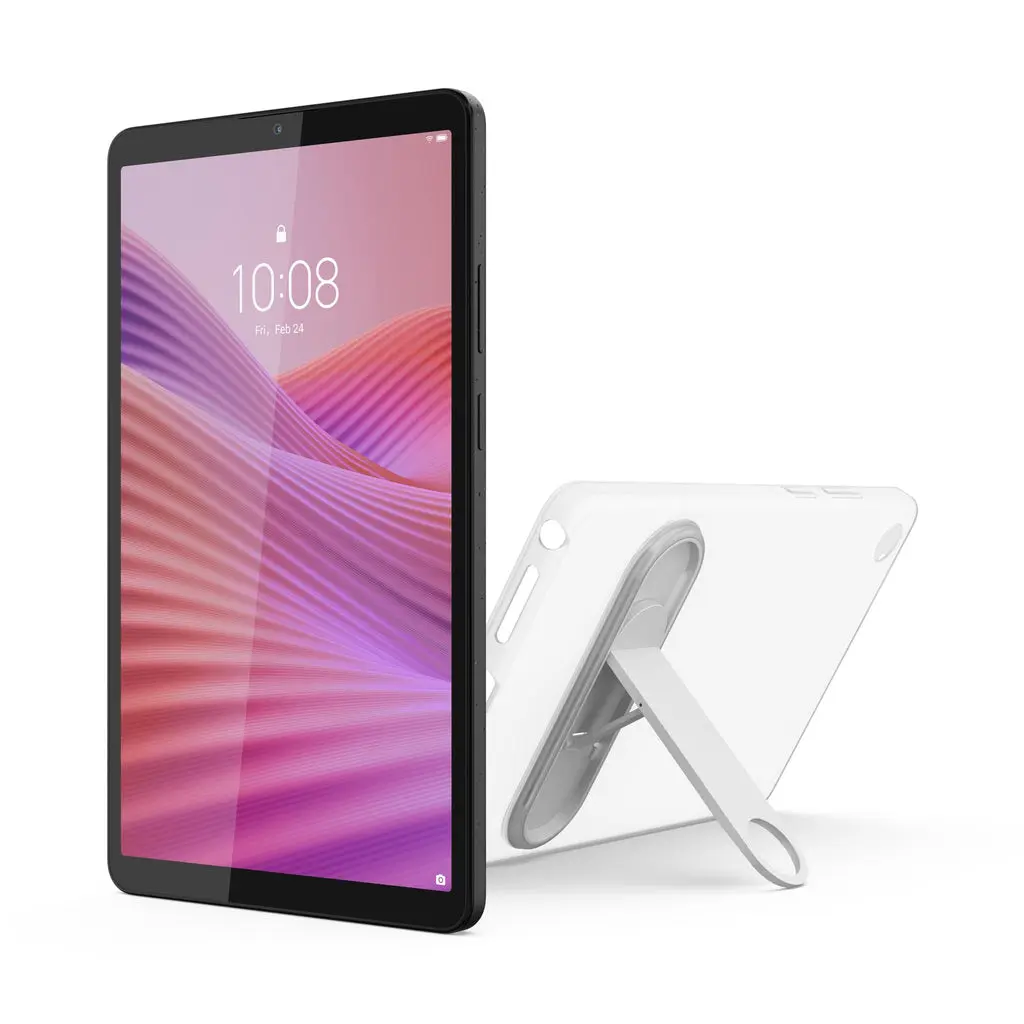
Exact ZAF00091AU 4GB/64GB Wi-Fi package in Luna Grey. The clear case is useful but not a heavy-duty kids case.
The 8.7-inch 1340 × 800 IPS screen and roughly 320g mass make this easier for small hands and small bags. MediaTek Helio G85 performance, 4GB RAM and 64GB eMMC storage are adequate for streaming, reading and light games, not demanding 3D titles or long-term heavy workloads.
Extended product analysis
Google Family Link supplies screen-time, app-approval, purchase and content controls, while Google Kids Space offers a child-oriented discovery environment. Lenovo does not add a Samsung Kids-style second management layer.
Wi-Fi 5, Bluetooth 5.3, USB-C, a 5100mAh battery and microSD support cover ordinary family use. Retail stock identifies the exact ZAF00091AU clear-case bundle, but one Australian owner reported the case stand breaking quickly.
Budget boundaries
The supplied clear case is basic scratch and handling protection, not rugged drop protection. Software support is materially shorter than Apple or Samsung, the one-year warranty is ordinary, and no pen support is included on this configuration.
Pros
- Low replacement cost
- Compact 8.7-inch format
- About 320g
- microSD support
- Clear case included
- Family Link and Kids Space
Cons
- Only 4GB RAM
- Only 64GB internal storage
- Low-resolution display
- Basic performance
- Shorter support life
- Included case is not rugged
Serious contenders
Samsung Galaxy Tab A11+ Kids Edition
The F-X230NKIDSPACK bundle remains the cleanest dedicated kids package because it adds a puffy case, touch pen, tether, stickers and setup guide to the same 6GB/128GB hardware. It is not ranked because Samsung marks it not for sale. Newer cover bundles were also not orderable when checked.
Lenovo Idea Tab — ZAFR1155AU
Its 11-inch 2560 × 1600 display, 6GB/128GB, microSD and pen capability make it a stronger general tablet than Tab One. Samsung wins the family-value position through longer security support, Samsung Kids and broader local retail depth.
Apple iPad mini A17 Pro
Excellent performance and compactness make it a premium small-tablet alternative, but its price is difficult to justify for most child-use buyers.
How to choose a tablet for a child
Buying advice
Set up the account before handing it over
Use a child account, enable purchase approval, set age-appropriate content restrictions and protect settings with a parent-only passcode. Apple uses Family Sharing, Screen Time and Ask to Buy; Samsung combines Samsung Kids with Family Link; Lenovo relies mainly on Google's family tools and Kids Space.
Buy protection for the exact model
None of the bare tablets is kid-proof. Choose a case made for the exact model with reinforced corners, a raised screen lip and a stable stand. A screen protector can reduce scratch risk, but no case guarantees survival from every drop.
Internal storage and microSD are different
The iPad has 128GB with no expansion. Samsung has 128GB plus microSD to 2TB; Lenovo has 64GB plus microSD. Removable storage is useful for downloaded video, photos and other media, but not every app can move to a card.
Plan for ownership, not just checkout price
Add the cost of a rugged case, screen protector, charger where absent, optional accidental-damage coverage and likely replacement risk. A lower-cost tablet may be rational for a younger child, while the iPad's performance and support can suit a longer hand-me-down cycle.
Keep school compatibility separate
Schools may require a keyboard, a specific operating system, device-management enrollment or minimum hardware. Confirm those rules directly rather than assuming any tablet in this guide qualifies.
Frequently asked questions
Which tablet is best for most children?
The iPad 11-inch A16 is the strongest long-term general recommendation because performance, apps, family controls, accessories and service are consistently strong. Samsung is the better value for younger children, while Lenovo fits a narrow low-cost travel role.
Is the Samsung Galaxy Tab A11+ Kids Edition available?
No. Samsung marked the F-X230NKIDSPACK Kids Edition not for sale when checked, and newer cover bundles were also not orderable. The ranked A11+ is the standard 6GB/128GB tablet and does not include the puffy kids case.
Do these tablets include rugged cases?
No. The iPad and standard Samsung do not include cases. Lenovo includes a clear case, but it is basic protection rather than a heavy-duty kids case.
Can I add storage later?
Samsung and Lenovo support microSD cards; iPad does not. Card storage is useful for media and offline travel content, but it does not behave exactly like internal app storage.
Which has the best parental controls?
Apple provides mature family-wide management through Family Sharing and Screen Time. Samsung is particularly approachable for younger users because Samsung Kids works alongside Family Link. Lenovo supports Google's Family Link and Kids Space without Samsung's additional child environment.
Are these suitable for school?
Possibly, but not automatically. Check the school's device, operating-system, keyboard, app and management requirements before purchase.
Do parental controls make internet use completely safe?
No. They help manage apps, purchases, time and content, but they do not replace age-appropriate supervision, account security and regular review of settings.
Safer family use
Buying advice
Use age-appropriate controls, supervise younger users, enable purchase approval, fit suitable protection and use approved charging equipment. Stop using a tablet with a damaged or swollen battery and arrange authorised service. Keep headphone volume at an age-appropriate level and supervise use around traffic and other hazards.