
Best Gaming Monitors in Australia
Three current monitors for high-end 4K gaming, mainstream 1440p value and extreme competitive play—judged on measured performance, practical connectivity, warranty and Australian availability.
The quick answer
Gaming monitors compared
Detailed comparison
| Detail | Alienware AW3225QF | MSI MAG 274QRF QD E2 | ASUS PG27AQWP-W |
|---|---|---|---|
| Award | Best overall | Best value / most PC gamers | Best competitive gaming |
| Worth Buying score | 9.4/10 | 9.0/10 | 9.4/10 |
| Panel | 31.6-inch curved QD-OLED | 27-inch flat Rapid IPS | 26.5-inch TrueBlack Glossy Tandem WOLED |
| Resolution | 3840 × 2160 | 2560 × 1440 | 2560 × 1440 |
| Maximum refresh | 240Hz | 180Hz | 540Hz native; 720Hz at 1280 × 720 |
| HDR position | Strong OLED HDR; Dolby Vision | Entry-level DisplayHDR 400 | Strong OLED HDR; DisplayHDR 500 True Black |
| Key video inputs | DP 1.4, 2 × HDMI 2.1 FRL | DP 1.4a, 2 × HDMI 2.0b, USB-C DP Alt Mode | DP 2.1a UHBR20, 2 × HDMI 2.1 FRL |
| USB-C video / charging | No | Yes, up to 65W | No |
| Warranty | 3 years, including OLED burn-in | 3 years | 3 years, including panel burn-in |
| Best for | Premium PC and console gaming | Mainstream 1440p PC gaming | Extreme-frame-rate esports |
| Main drawback | GPU load and OLED trade-offs | Weak HDR | Very high price and frame-rate demand |
The two OLED models can show VRR flicker when frame rates vary sharply. The MSI is the safer long-duration static-desktop choice, but it cannot match OLED black levels or HDR contrast.
Alienware AW3225QF
- Format
- 32-inch curved 4K QD-OLED
- Strength
- Premium PC and console image quality
- Watch for
- GPU demand, curve and OLED care
MSI MAG 274QRF QD E2
- Format
- 27-inch 1440p 180Hz Rapid IPS
- Strength
- Balanced performance and connectivity
- Watch for
- Modest HDR and IPS contrast
ASUS PG27AQWP-W
- Format
- 26.5-inch 1440p 540Hz Tandem WOLED
- Strength
- Elite motion clarity
- Watch for
- Price, VRR flicker and glossy reflections
Resolution and refresh rate must match your PC
A faster monitor does not create frames your system cannot render. For many PCs, 1440p at 180Hz is the practical sweet spot. Native 4K 240Hz and QHD 540Hz demand premium GPUs, fast CPUs and appropriately chosen game settings. More hertz is not automatically a better total monitor.
How we chose
Detailed methodology
We compared current Australian gaming monitors across instrumented motion performance, input lag, resolution, refresh, VRR behaviour, HDR capability, connectivity, ergonomics, console support, panel-care features, warranty, exact-model professional testing and current Australian purchase utility. Manufacturer specifications, professional measurements, retailer information and owner evidence remain separate. Worth Buying scores are editorial judgements, not blended customer-star ratings.
Advertised 0.02ms, 0.03ms and 1ms GTG labels are not standardised real-world measurements. Pixel response and input lag are different: response describes how quickly pixels change, while input lag describes delay between an input and the displayed result.
Serious contenders and alternatives
LG UltraGear 32GS95UE-B: a compelling flat 32-inch 4K 240Hz WOLED with FHD 480Hz dual mode. Alienware wins overall through its QD-OLED colour-volume proposition, Dolby Vision, eARC, Australian burn-in coverage and current pricing.
Samsung Odyssey OLED G8 G80SD (LS32DG802SEXXY): a strong 32-inch 4K 240Hz option with Gaming Hub and smart features. Those extras are less important for a monitor-first desktop buyer.
MSI MPG 272URX: combines 27-inch 4K 240Hz QD-OLED, DisplayPort 2.1a UHBR20, HDMI 2.1, USB-C power and KVM-style flexibility, but is expensive and less clearly differentiated for most buyers.
AOC Q27G3XMN: can deliver unusually strong Mini-LED HDR value, but Australian exact-product availability and support depth are less consistent, and VA smearing and VRR flicker remain compromises.
Gigabyte M27Q X: is a useful 1440p 240Hz IPS alternative with KVM and USB-C, though its HDR and contrast are modest and retail revision identity has historically required care.
ASUS PG27AQDP: is the superseded 480Hz WOLED predecessor. It remains fast, but the current PG27AQWP-W adds a newer Tandem WOLED panel, higher native refresh, DisplayPort 2.1 and an optional 720Hz reduced-resolution mode.
Alienware 32 4K QD-OLED Gaming Monitor AW3225QF
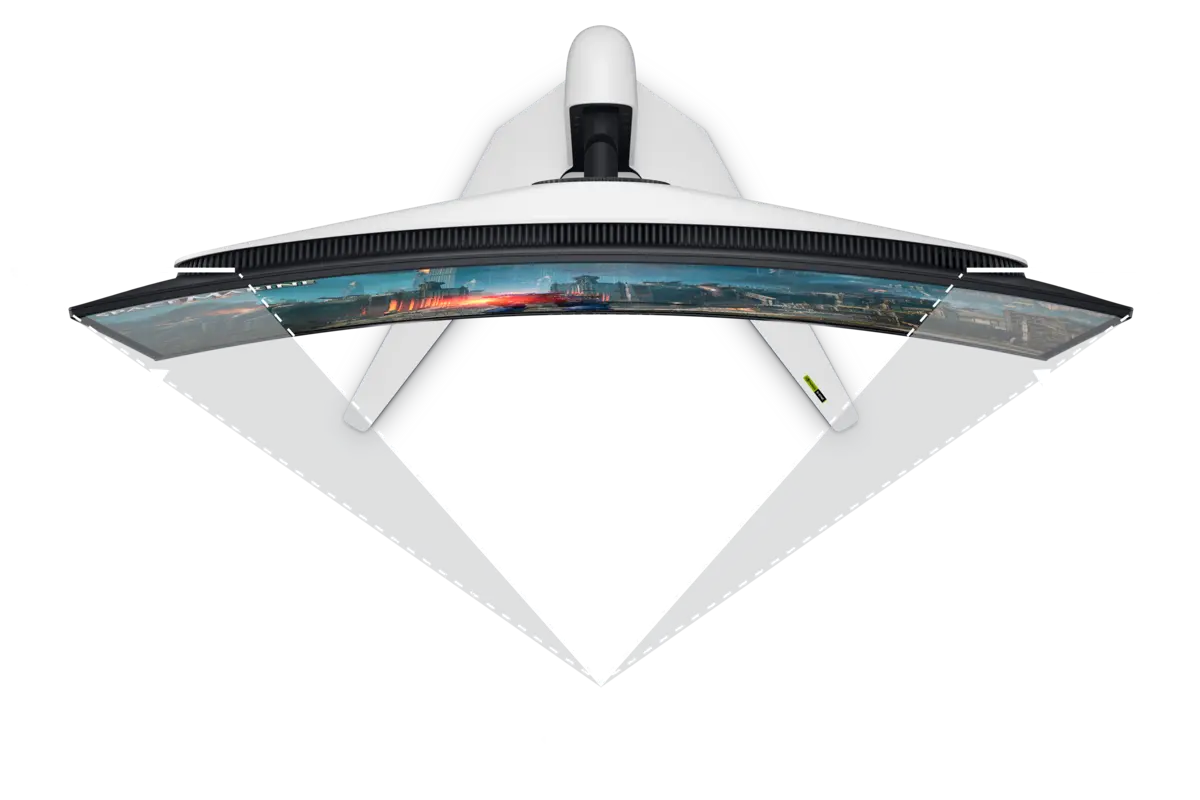
Exact current AW3225QF shown. The 1700R curve is part of the buying decision.
The 31.6-inch panel runs at 3840 × 2160 and 240Hz, with DisplayPort 1.4 and two HDMI 2.1 FRL inputs. One HDMI connection supports eARC, while current consoles can use 4K signals up to 120Hz with VRR. Dolby Vision and pixel-level OLED contrast give HDR games far more impact than an entry-level HDR LCD.
Extended product analysis
Instrumented exact-model testing reports near-instantaneous response, low input lag, crisp motion, excellent dark-room blacks and strong HDR highlights. The 4K pixel density also makes it the best finalist for desktop sharpness and detailed single-player games.
The limits matter. QD-OLED blacks can look raised in strong ambient light, large frame-rate changes can cause noticeable VRR flicker, and the curve will not suit every desk. Driving modern games near 4K/240Hz also requires a very powerful GPU or aggressive use of upscaling and settings.
Evidence context
Dell Australia's exact-product customer pool is useful owner evidence. It is not merged with instrumented professional testing, and warranty exchange experience is not treated as proof that every panel will be trouble-free.
Pros
- 4K clarity at 32-inch scale
- 240Hz QD-OLED motion
- Excellent HDR contrast
- HDMI 2.1 and console compatibility
- Dolby Vision and eARC
- Three-year burn-in coverage
Cons
- Very demanding at native 4K
- VRR flicker with unstable frame rates
- Raised blacks in strong ambient light
- Curved panel
- No USB-C video or laptop charging
- OLED static-content care required
MSI MAG 274QRF QD E2
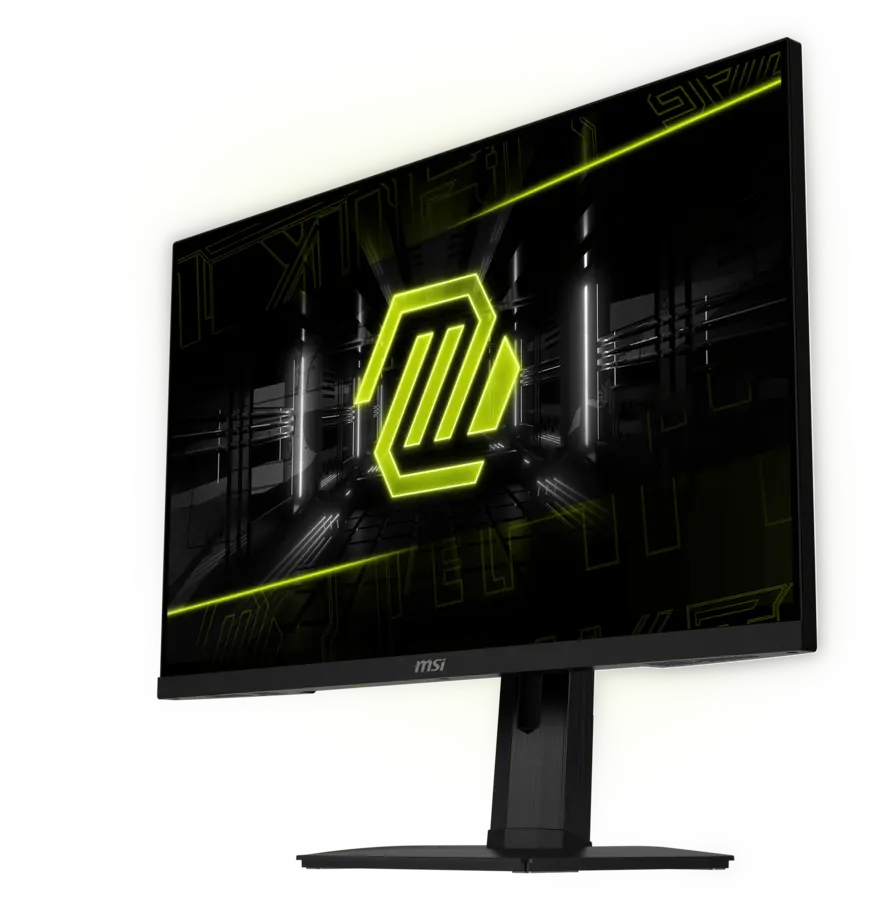
Exact E2 generation shown; AU part 9S6-3CC29H-289. Do not confuse it with the original MAG274QRF-QD.
MSI specifies 2560 × 1440 at up to 180Hz over DisplayPort or USB-C, with a 48–180Hz adaptive-sync range. USB-C supports DisplayPort Alt Mode and up to 65W power delivery; two USB-A ports and a USB-B upstream connection add practical desk flexibility.
Extended product analysis
This is the sensible middle of the market. QHD is easier to drive than 4K, still looks sharp at 27 inches and lets a much wider range of GPUs exploit high refresh. Height, tilt, swivel and pivot adjustment are all included rather than being sacrificed to hit the price.
DisplayHDR 400 does not make it a premium HDR display. There is no meaningful Mini-LED local dimming, and 1000:1-class IPS contrast means dark-room blacks look greyer than OLED. HDMI tops out below the monitor's full 180Hz capability, so DisplayPort or USB-C is the preferred PC connection.
Evidence context
Exact E2 owner evidence is kept separate from retailer specification and professional testing. Feedback from the original MAG274QRF-QD is product-family context only because panel and firmware equivalence is not assumed.
Pros
- Strong 1440p / 180Hz balance
- Wide colour gamut
- USB-C video and 65W charging
- USB hub
- Full ergonomic stand
- Three-year warranty
Cons
- Weak HDR beside OLED
- Modest IPS contrast
- HDMI limited below full 180Hz
- No HDMI 2.1 premium-console positioning
- Manufacturer 1ms label is not independent proof
ASUS ROG Swift OLED PG27AQWP-W
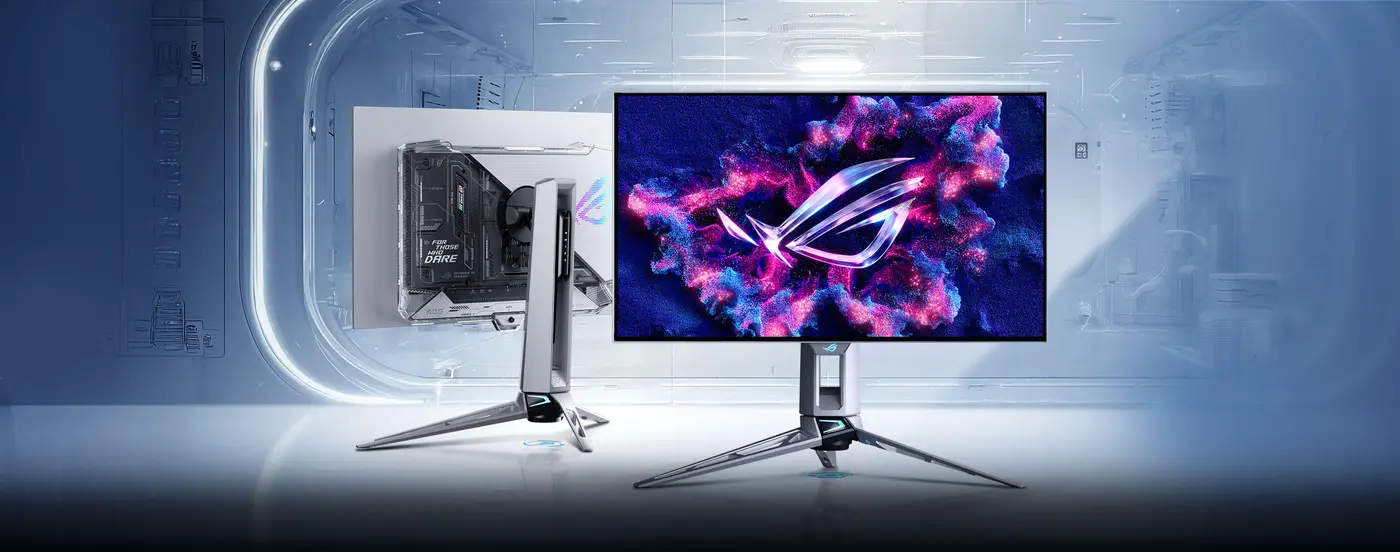
Exact current PG27AQWP-W shown. Its white/silver chassis and transparent rear distinguish it from the black PG27AQDP predecessor.
The 26.5-inch PG27AQWP-W uses fourth-generation Tandem WOLED—not QD-OLED. It supports QHD at 540Hz and a specialist 1280 × 720 mode up to 720Hz. DisplayPort 2.1a UHBR20 provides the full 80Gbps link, while two HDMI 2.1 FRL inputs broaden current-console and multi-system use.
Extended product analysis
Exact-model instrumented testing reports exceptional PC gaming performance, extraordinarily sharp motion, low input lag, strong OLED HDR and common VRR support. ASUS specifies a 1500-nit peak highlight claim—not full-screen brightness—and VESA DisplayHDR 500 True Black certification.
The 720Hz figure needs careful context: it requires dropping from native QHD to 1280 × 720. That mode is a specialist esports option and sacrifices substantial image sharpness. Native 1440p/540Hz is the core recommendation, and even that only pays off when the PC can deliver extraordinarily high frame rates.
Testing also identifies visible VRR flicker with variable frame rates, dark-grey uniformity limitations, glossy reflections and text fringing. OLED Care Pro and the Neo Proximity Sensor reduce static-image exposure, while the current three-year Australian warranty includes panel burn-in, but neither makes burn-in impossible.
Evidence context
This is a new generation. Exact-model professional testing is available, but long-duration Australian owner evidence remains immature. PG27AQDP reports are predecessor context only and are not presented as PG27AQWP-W reliability evidence.
Pros
- Native QHD at 540Hz
- Exceptional OLED motion
- Brighter Tandem WOLED generation
- TrueBlack Glossy clarity
- Full-bandwidth DisplayPort 2.1a
- HDMI 2.1 FRL
- Three-year burn-in coverage
Cons
- Very expensive
- Extreme frame-rate requirements
- 720Hz mode drops to 1280 × 720
- VRR flicker
- Glossy reflections
- Text fringing and OLED care
- No USB-C video or charging
What matters when buying a gaming monitor
Buying advice
1440p or 4K?
At 27 inches, 1440p is the practical balance for many PC gamers. It is much easier to drive than 4K and supports high frame rates without giving up useful sharpness. At roughly 32 inches, 4K delivers visibly finer detail and better desktop clarity, but the GPU cost rises sharply.
How much refresh rate is useful?
180Hz is already very smooth for most players. A jump to 240Hz can matter for premium systems; 360–540Hz is mainly for competitive games running at similarly high frame rates. Panel response, overshoot, VRR behaviour and system performance matter alongside the headline refresh figure.
HDR tiers are not equal
OLED's pixel-level control produces deep blacks and precise highlights. DisplayHDR 400 on a conventional IPS panel does not offer the same contrast because it lacks meaningful local dimming. Certification names and peak-highlight claims need construction context.
VRR does not guarantee flicker-free play
Adaptive sync reduces tearing, but OLED monitors can show brightness flicker when frame time changes sharply, particularly in dark scenes. Stable frame pacing and sensible frame caps can help; G-SYNC Compatible branding is not a promise that flicker cannot occur.
OLED for mixed desktop use
Modern OLED monitors include pixel shifting, panel refresh and other care systems. Burn-in remains possible with prolonged static content. If the screen will show fixed productivity interfaces for most of each day, a good LCD may be the safer fit. For OLED, use sleep settings and allow manufacturer maintenance routines to run.
PC and console connections
For current consoles, 4K/120Hz, VRR and HDMI 2.1 make the Alienware the strongest finalist. The ASUS has HDMI 2.1 but is natively 1440p. MSI's HDMI 2.0b ports are better treated as secondary connections; DisplayPort or USB-C is preferred for full PC refresh.
OLED care without alarmism
Buying advice
Burn-in is possible, not inevitable. Risk depends on static-content duration, brightness, usage mix, temperature and whether panel-care routines can run. Alienware and ASUS currently provide three-year Australian warranty coverage that includes OLED burn-in. That protection is valuable, but it is not a claim that image retention cannot occur.
Gaming monitor FAQs
Is 1440p or 4K better for gaming?
Neither is universally better. At 27 inches, 1440p gives strong sharpness with manageable GPU load. A 32-inch 4K monitor gives finer detail and suits premium GPUs and consoles, but high frame rates are harder to sustain.
Is 180Hz enough?
Yes for most players. The step from 60Hz to 144–180Hz is substantial; benefits beyond 240Hz are narrower and most useful in competitive games at very high frame rates.
Does 1ms mean low input lag?
No. A quoted GTG response time concerns pixel transitions, while input lag measures delay from input to display. Manufacturer response labels also do not directly compare real-world motion across different panels.
Is OLED burn-in guaranteed?
No. It is a possible cumulative wear outcome influenced by static content, brightness, usage and maintenance. Use OLED-care features and check the exact Australian warranty.
Why does an OLED monitor flicker with VRR?
OLED brightness can shift when frame times vary significantly, especially in dark scenes. Adaptive-sync support reduces tearing but does not eliminate this behaviour.
Is the ASUS 720Hz mode still 1440p?
No. PG27AQWP-W runs native 2560 × 1440 at up to 540Hz. Its 720Hz dual mode drops to 1280 × 720, trading substantial sharpness for specialised esports speed.
Which finalist is best for a PS5 or Xbox?
Alienware AW3225QF is the strongest finalist for consoles because it supports 4K, HDMI 2.1, 120Hz console signals, VRR and meaningful HDR. Exact console settings still depend on the game and firmware.
Worth Buying Australia may earn a commission when you buy through retailer links, at no extra cost to you. Retailer access does not determine product selection, awards or scores.